
Annual Enrollment is a two week period in the fall where benefit-eligible faculty and staff have the opportunity to review and change their benefits for the following calendar year.
This information pertains to active employees. Some employees may be eligible to enroll in university insurance as a retiree. For information about insurance enrollment for retirees, visit the Retiree Insurance section.
Plan Changes for 2027
Plan Changes for 2027
Annual Enrollment is October 26 – November 6, 2026. You can make changes to your insurance elections for the 2027 plan year during this time. It is important to review any plan changes to ensure you make the best choice for your situation:
- Medical plan increases from $0 - $83.
- Premium increases in the Dental Plans, Vision Plan and Short-Term Disability Buy-Up Plan.
- Annual contribution limits increase:
- Health Savings Account: Increase to $4,500/individual and $9,000/family.
- Health Care Flexible Spending Account: Increase to $3,400.
If you do not wish to make changes to your elections, no action is required on your part. The benefit elections you made in 2026 will continue into 2027, except for Flexible Spending Accounts (FSA), which require re-enrollment each year.
Review Plan Information
Review Plan Information
Details to Consider
How to Choose Plans
Find tools and tips to research coverage, compare plans and think through important consideration as you get ready to enroll.
Virtual Options Near You
Attend a Meeting
Attend an Annual Enrollment virtual meeting in your location to get information about your benefits options. View the full schedule to find the session that works best for you.
Local HR Generalist
Get Individualized Support
You can book a one-on-one appointment with your campus HR Generalist to get personalized assistance for all your insurance and enrollment questions.
Compare Plan Options
Compare Plan Options
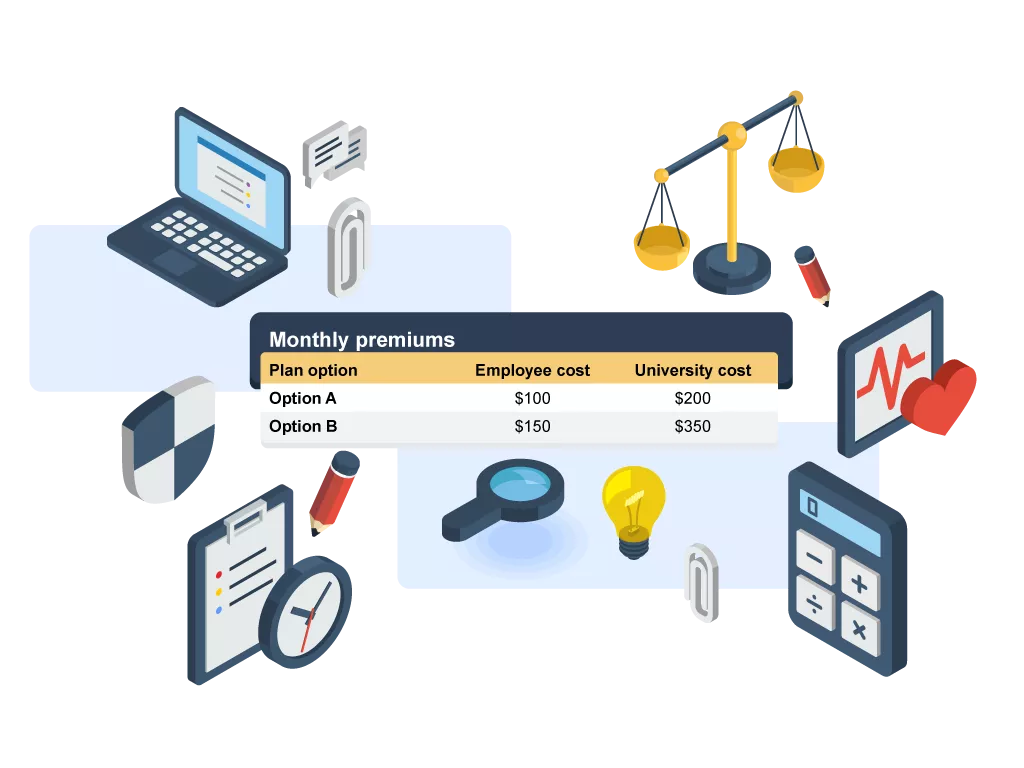
The plan information and comparison guide gives you an at-a-glance view of premiums, coverage levels and plan features for the plan year.
Use the guide to compare options side by side and make decisions that meet your needs.
Enroll via myHR
Enroll via myHR
- FSA continuation: If you would like to contribute to a Health Care or Dependent Care Flexible Spending Account (FSA), you must re-enroll each year.
- 2026 FSA to 2027 HSA: If you are switching from an FSA to a Health Savings Account (HSA), your 2026 FSA must have a zero balance by December 31, 2026. If not, contributions to your HSA will be delayed until April 1, 2027.
- Confirm address in myHR: Make sure your contact information is up to date in myHR (myhr.umsystem.edu).
Full step-by-step instructions on completing the enrollment process, with screenshots, are available on the myHR Resources webpage.
- Open your internet browser and navigate to myHR (Firefox or Chrome recommended). Log in with your username and password. Click “Sign In.”
- Click the “My Benefits” tile. Then, to access the self-service application, select “Benefits Enrollment” from the menu on the left side of the screen
- Follow the instructions on your screen to select and submit your plan choices or waive coverage.
- After you click the “Submit” button, a “Benefits Alerts” pop-up will appear stating your enrollments have been submitted. Click “Done.”
- An email confirmation will be sent to your university email account so you know your submission was received.
- Note: You are not done with your enrollment until you click both the “Submit” button as well as the “Done” button on the pop-up screen.
Confirmation Statement
When your Confirmation Statement has been generated in mid-December, you will receive another email to your university email account with steps on how to view/print your confirmation statement.
ID Cards
Make sure you show your provider your new card(s) at the time of service. Benefits are effective even if you have not received your cards yet. Cards arrive via mail unless otherwise noted:
- Medical/Prescription: For 2027 coverage, you will receive a new, single physical card for medical and prescription coverage if you are newly enrolled or are enrolled in the Rolla Surest Plan. If you are changing medical plans or are an MU Health Care employee, you will receive a new digital ID card. You can request a physical card through myUHC, the UHC app or by calling UnitedHealthcare.
- Dental: You will receive an ID card (in the subscriber’s name) only if you are newly enrolled.
- Vision: No card is issued.
Make the Most of Your Coverage
Make the Most of Your Coverage
Learn more about preventive services covered at no cost to you and how to choose the right care for your needs. Explore options like virtual visits, annual exams and routine checkups to save time and money and find tips and resources to use your coverage effectively.

Explore Other Benefits
Explore Other Benefits
Notice of Nondiscrimination
If you speak another language, assistance services, free of charge, are available to you.
Call UnitedHealthcare at 1-844-634-1237 for translation assistance.
Español 繁體中文 Tiếng Việt Srpsko-hrvatski Deutsch العربية Русский 한국어
Français Tagalog Deitsch فارسی Oroomiffa Português አማርኛ